

Resetting the Regular Service Message (Gaydon Era)
DISCLAIMER / 免責事項
As always, follow all safety protocols. Don't undertake this task if you aren't comfortable with it, fully understand it, and are capable of completing it. The information provided may be incomplete or inaccurate. You are ultimately responsible for anything you do. Redpants is not responsible or liable for anything that may occur.
常にすべての安全プロトコルに従ってください。この作業に不安があり、十分に理解しておらず、完了する能力がない場合は、作業を行わないでください。提供される情報は不完全または不正確である可能性があります。ご自身の行動に対する最終的な責任は、ご自身にあります。Redpantsは、発生する可能性のあるいかなる事象についても責任を負いません。
This DIY Guide is for “Gaydon era” cars, like the 2004+ DB9, 2005+ V8 Vantage, the Rapide, Virage, and others. If you have a later car like a DB11 or 2018+ Vantage, check my DIY Guide for “2nd Century” cars.
When the dealership does maintenance on your car, they reset the car's internal service interval clock. Basically, you'll get a message on the LCD readout in the gauge cluster that says "Time for Regular Service" to let you know when your 10k/annual maintenance is due. It looks like this:
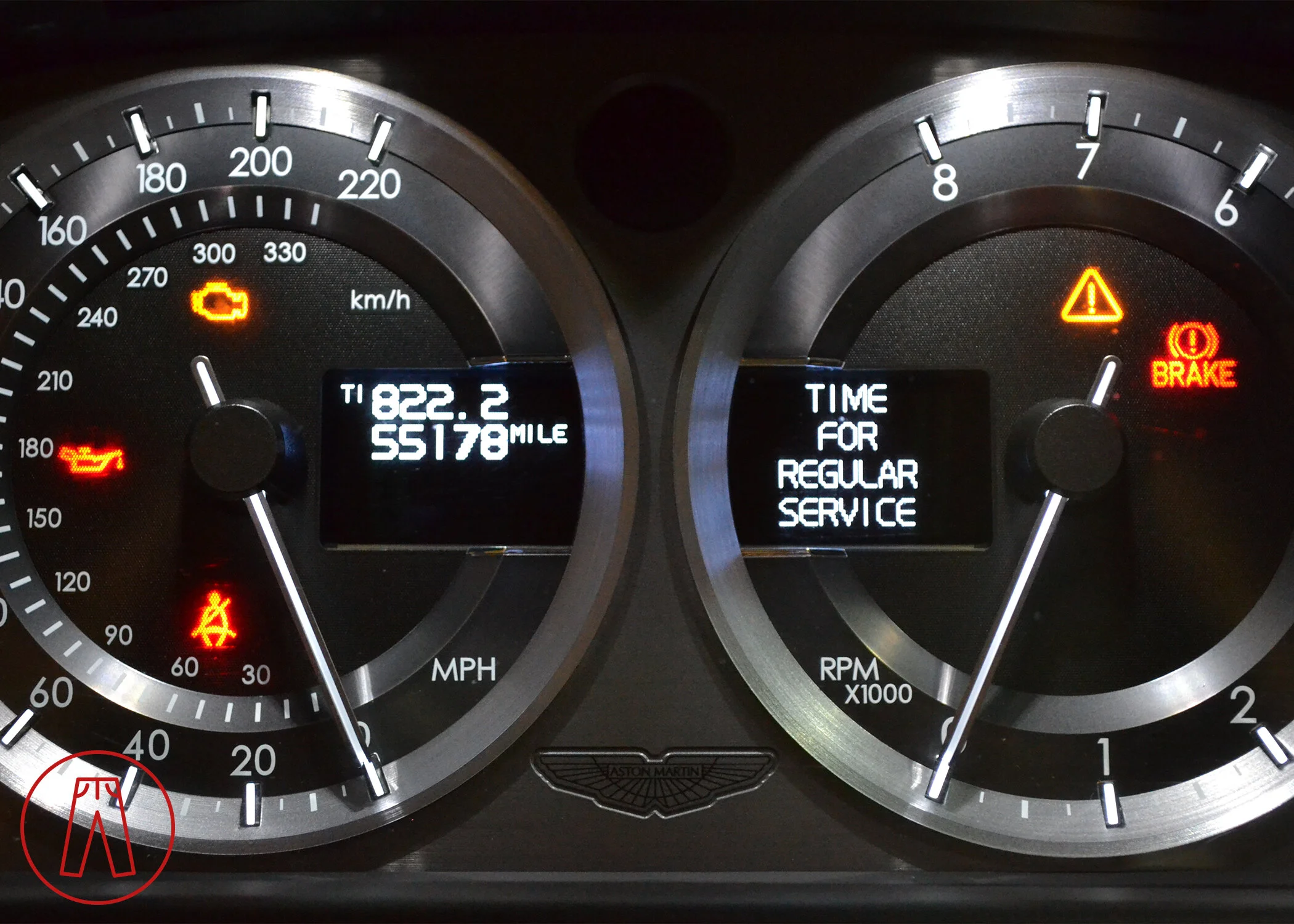
Since we're doing our regular service ourselves, we'll have to clear this message on our own. Luckily, we don't need any special tools or software to do this and clearing it is pretty simple.
For the early console:
1) Put the key in the ignition in "Off" position.
2) Press and hold T1/T2 and Read buttons.
3) Continue to hold the T1/T2 and Read buttons while turning the key to the "On" position.
4) Wait for Triangle to blink 3 times, then release the T1/T2 and Read buttons.
Here's the updated console.
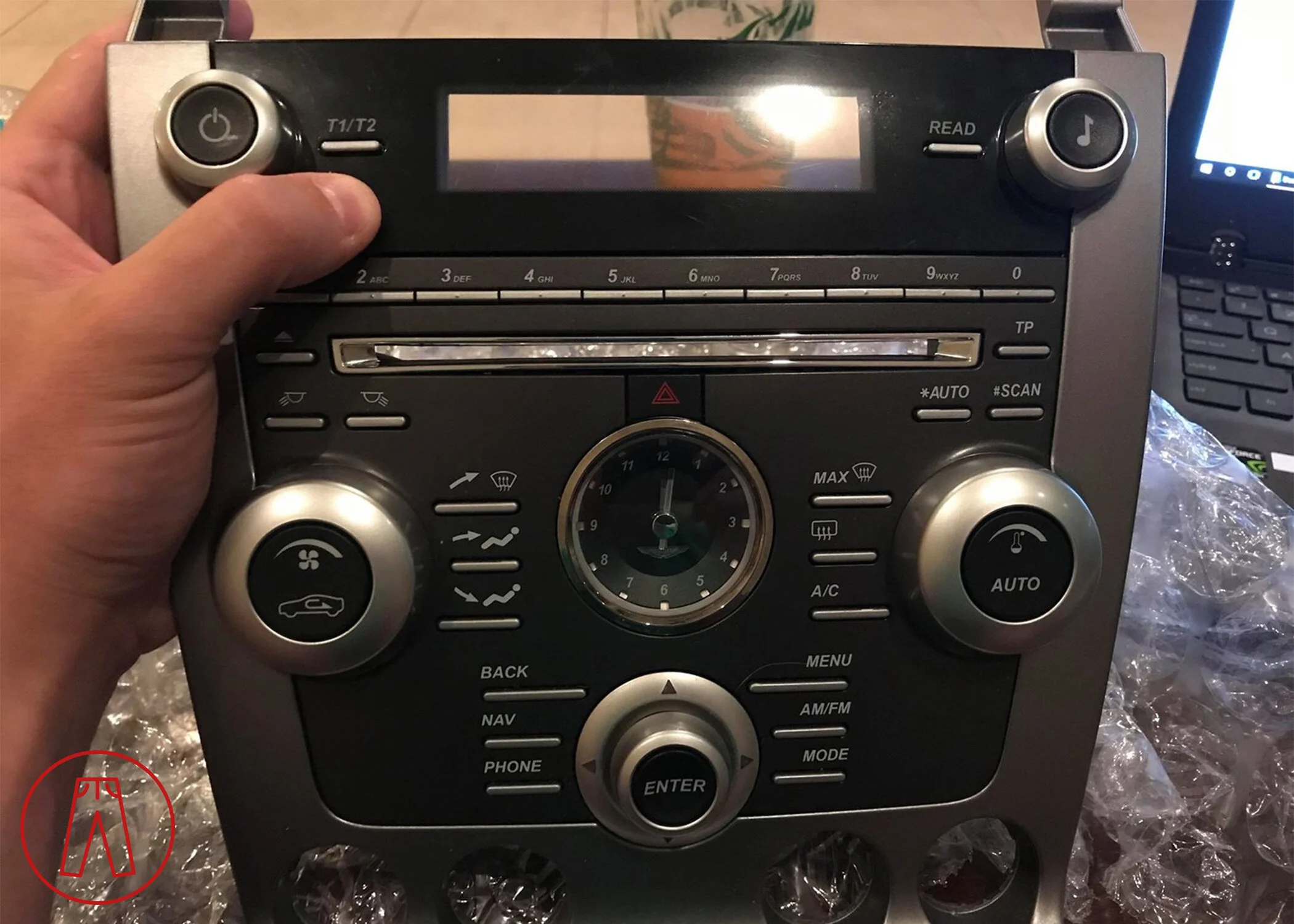
The T1/T2 button is next to my thumb. The Read button is across the radio display on the opposite side.
For the updated console:
1) Put the key (the "ECU") into the slot in Position 1.
2) Press and hold the T1/T2 and Read buttons.
3) Continue to hold the T1/T2 and Read buttons while you push the key into Position 2.
4) The warning triangle will blink, release the T1/T2 and Read buttons at the third blink.
The message should go away.